
Home Guide
How to make a voxel game, step by step
To make a voxel game, you build blocky 3D models out of small cubes, place them on a grid to make levels, add gameplay like enemies, pickups and dialogue, then export it so others can play. With a voxel game maker like Voxel Game Maker you can do all of that in one app, without coding.
This guide walks through the whole process in eight steps, with links to the detailed docs for each one.
1. Pick a small idea
Start with one place and one goal: collect ten gems, reach the top of a tower, find a key and open a door. A finished small game teaches you more than a half-built big one. If you're stuck for ideas, open one of the sample worlds in Voxel Game Maker (a parkour course, a dungeon crawl, a cozy farm, a pirate island and more) and change it until it's yours.
2. Build your models out of voxels
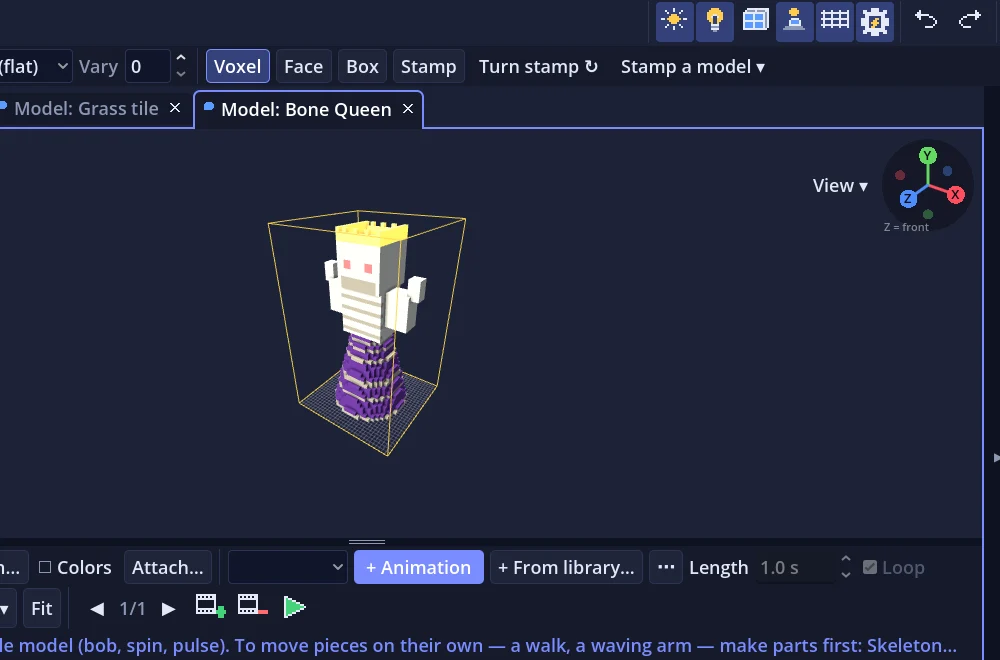
A voxel is a 3D pixel: a little colored cube. Voxel models are built cube by cube, like digital building blocks. In the Model tab you click to add cubes, paint them from a palette, and use mirrors so both sides of a character match. Boxes, spheres and other shapes drop in with one click.
You don't have to build everything by hand. The Character Generator makes a new character with each click, ready to be the player or a villager, and you can import models from MagicaVoxel (.vox).
3. Make your characters move
To walk, attack or wave, a model needs parts (a head, arms, legs) and animations. Skeleton… fits a ready-made skeleton to your model and adds idle, walk, run, jump, attack, hurt and die animations for you. You can pose parts on a timeline to make your own.
4. Lay out your level
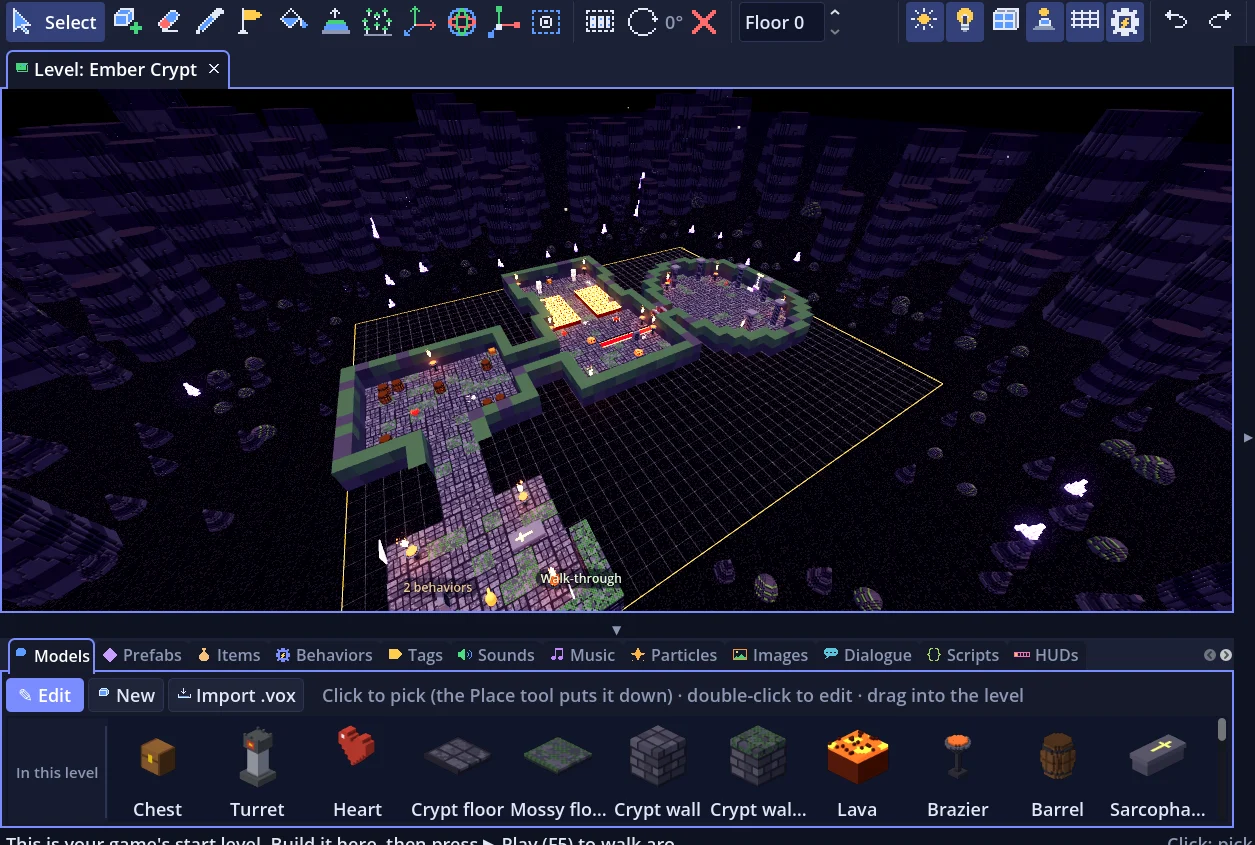
Levels are built on a grid: place your models as tiles and props, stack them in height levels, and paint the ground. Generate Terrain makes hills, lakes and caves for you, and the Generate tab can build a new dungeon every time someone plays. Press G to walk around your level while you build it.
5. Add gameplay without code
Gameplay comes from behaviors you drag onto objects: a door, a moving platform, a pickup, a shop, an enemy that chases the player. Characters can talk using the Dialogue tab, where conversations and quests are drawn as connected boxes. When you want more, Quick code is a friendly Lua-style scripting language built into the app.
6. Add music, sound and a HUD
Music Gen writes a looping song in a style you pick, and Sound Gen makes coins, jumps and explosions in one click. The HUD tab puts health bars, coin counters and timers on screen, with ready-made styles so they match your game.
7. Play, fix, repeat
Press F5 to play your level right inside the editor. Watch someone else play it if you can: wherever they get stuck or bored is what to fix next.
8. Export and share it
File ▸ Export Game makes a game for Windows, Mac, Linux or the web that runs with nothing installed. You can upload the web version to itch.io, send it to friends, or sell it: games you make with Voxel Game Maker are yours, royalty-free.
Common questions
Do I need to know how to code to make a voxel game?
No. In Voxel Game Maker you build models, levels and gameplay by clicking and dragging. Code is there when you want it (Quick code, a Lua-style language), but every sample game can be changed without writing any.
What's the difference between a voxel game and a regular 3D game?
A voxel game is built from small cubes instead of smooth meshes, which gives it a blocky, handmade look and makes models quick to build and easy to change.
How long does it take to make a small voxel game?
A first playable level can take an afternoon if you start from a sample world or a ready-made template. A polished game with several levels takes longer, mostly in testing and tuning.
Can I sell a game I make?
Yes. Games made with Voxel Game Maker are yours to sell on Steam, itch.io or anywhere else, with no royalties.
Want to make yours? Get an email at launch
It's coming to Steam with a launch discount. One email on launch day, the odd progress update, nothing else.