
Docs Cookbook
Before you start
The few moves every recipe uses: placing, What is it?, rules, behaviors, items and Game Settings.
Every recipe is made from the same few moves. Here they are once, so each recipe can say "place a chest" or "add a rule" without repeating how.
Place something. In the World tab (F1), click a model in Models at the bottom, then click the ground with the Place tool (or drag the model into the world). Esc stops placing. Click an object with the Select tool to pick it.
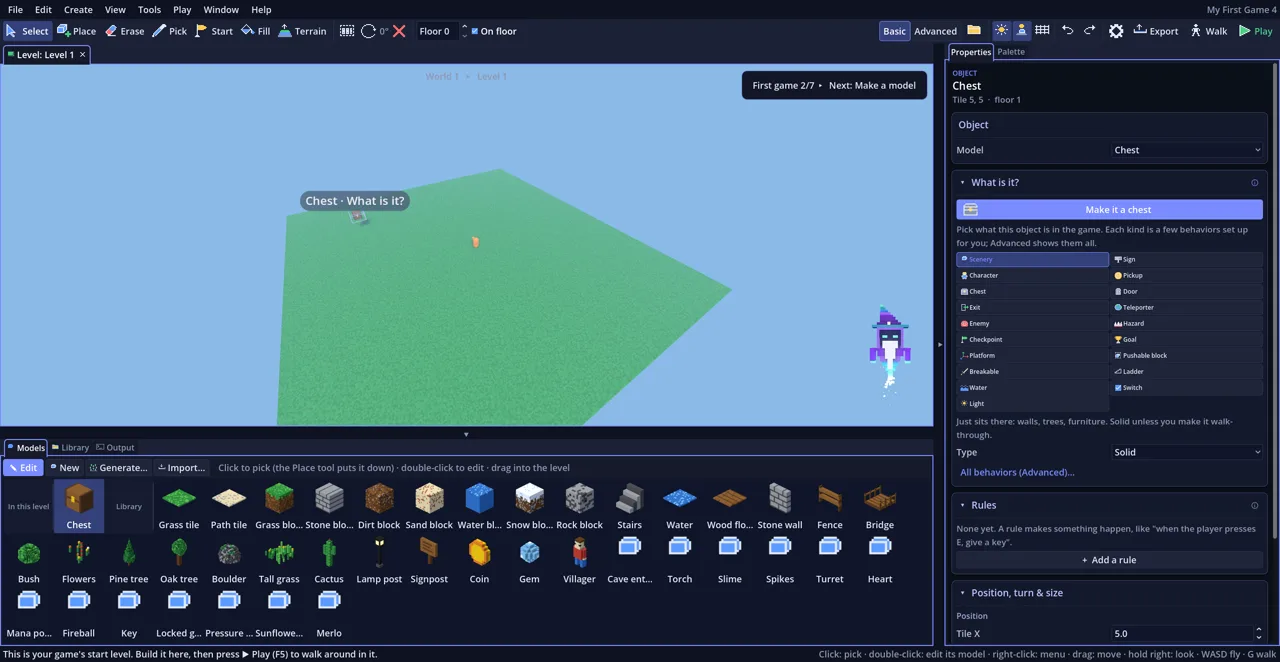
Say what it is. With the object picked, the Properties tab on the right asks What is it?. Pick a kind (Pickup, Door, Enemy, Switch…) and its few settings show underneath. Some kinds have a Type (a Coin, Key or Heart pickup).
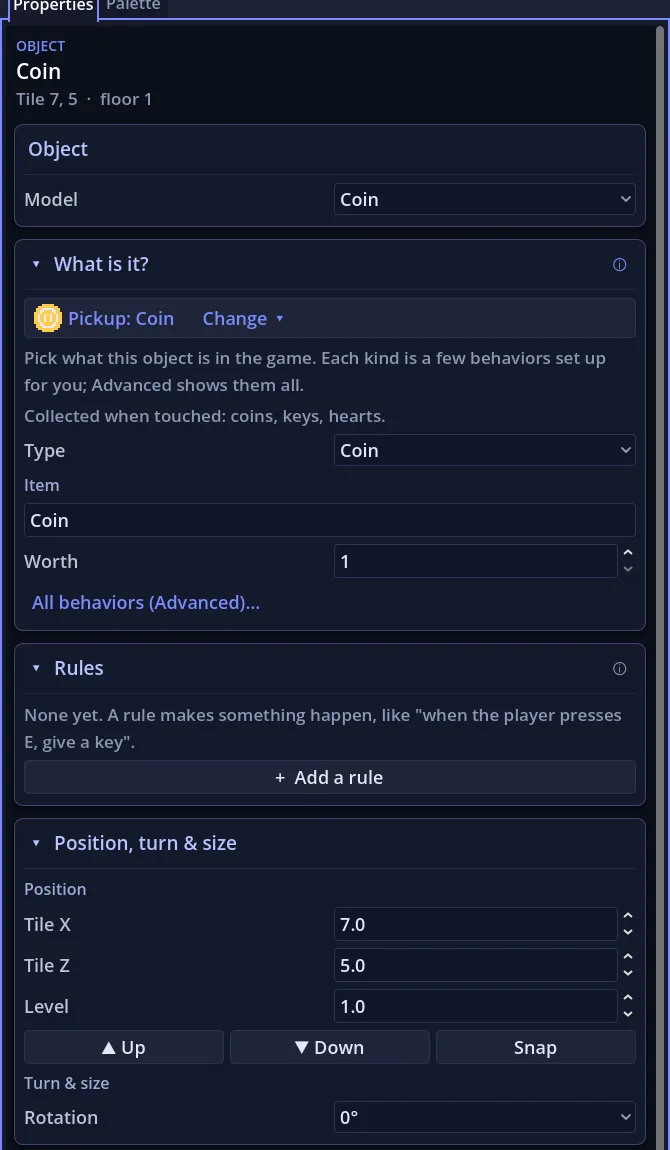
Add a rule. Rules make something happen. In Properties, open Rules and click + Add a rule. Each rule has:
- When: the player presses E, the player touches it, it's destroyed, the level starts, the player is near, or a switch turns on.
- Only once: tick it so the rule runs a single time.
- + Only if…: a check, such as "the player has a Key". Once a rule has a check, an Otherwise list appears for when the check fails.
- Do: the actions, in order. Click + Add action under the list to add one, pick it, then fill in its boxes. Checks are added the same way with + Add condition.
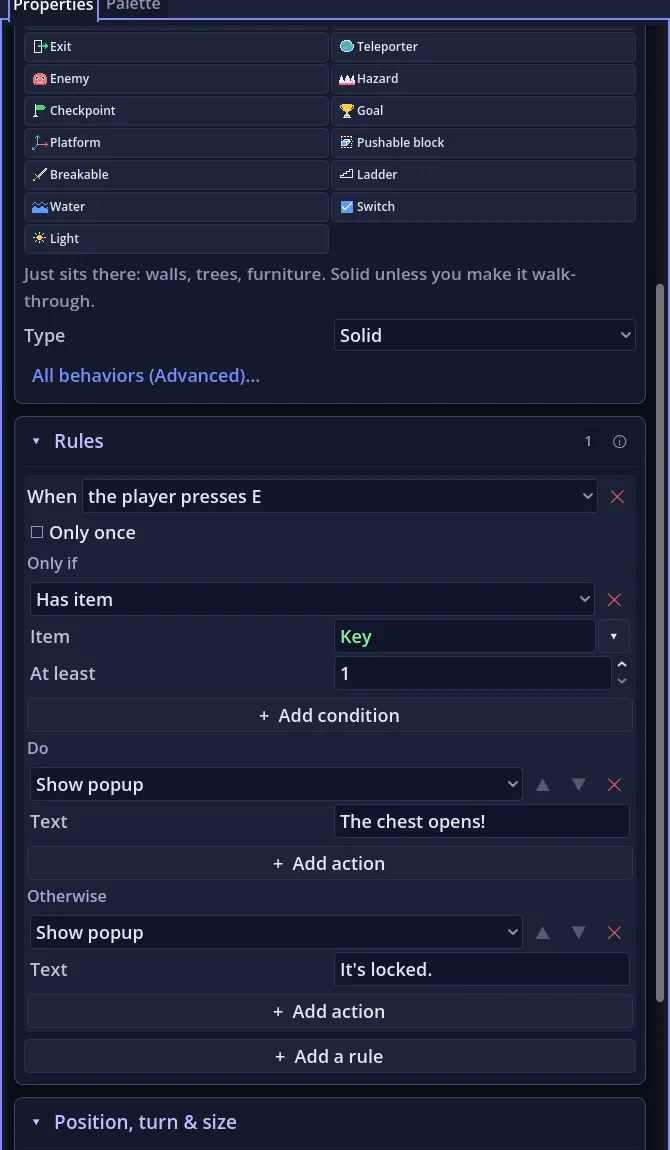
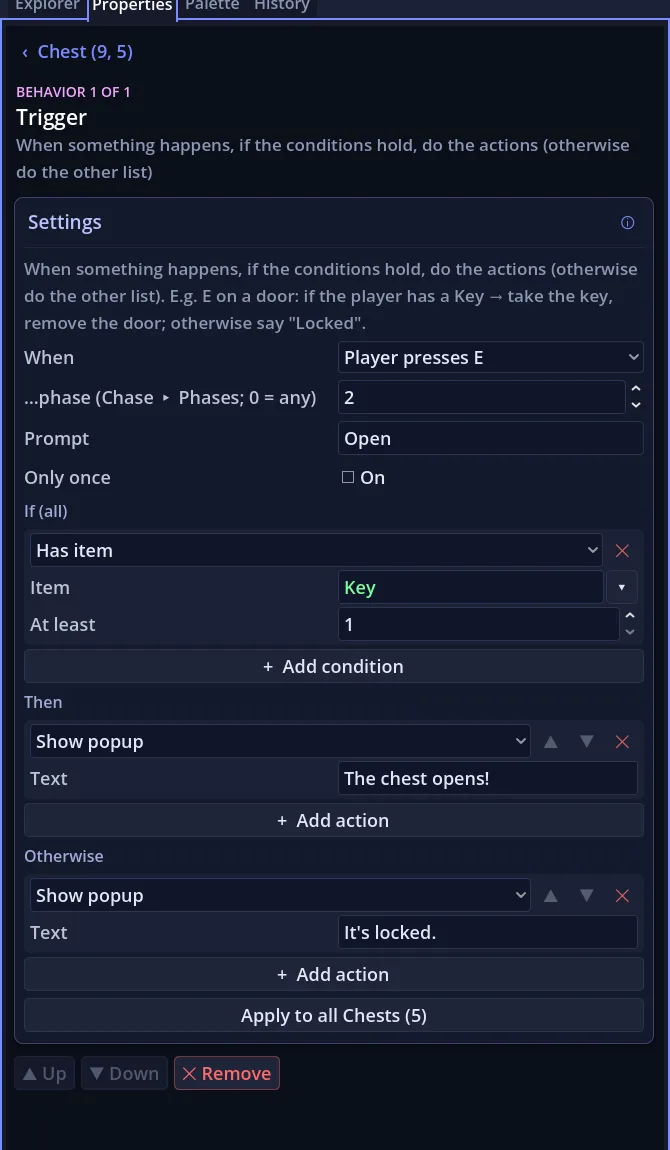
Switch to Advanced when a recipe says so. Basic | Advanced is on the toolbar. Advanced shows the full list of behaviors on an object instead of What is it?: click + Add behavior in Properties (or right-click the object) and pick one from the menu. A rule is a Trigger behavior there, with more choices: its boxes are When, If (all), Then and Otherwise, and When has extra events such as Night falls (20:00, with a day & night cycle) or It spots you (a character starts coming for you). What you make in Advanced still works in Basic.
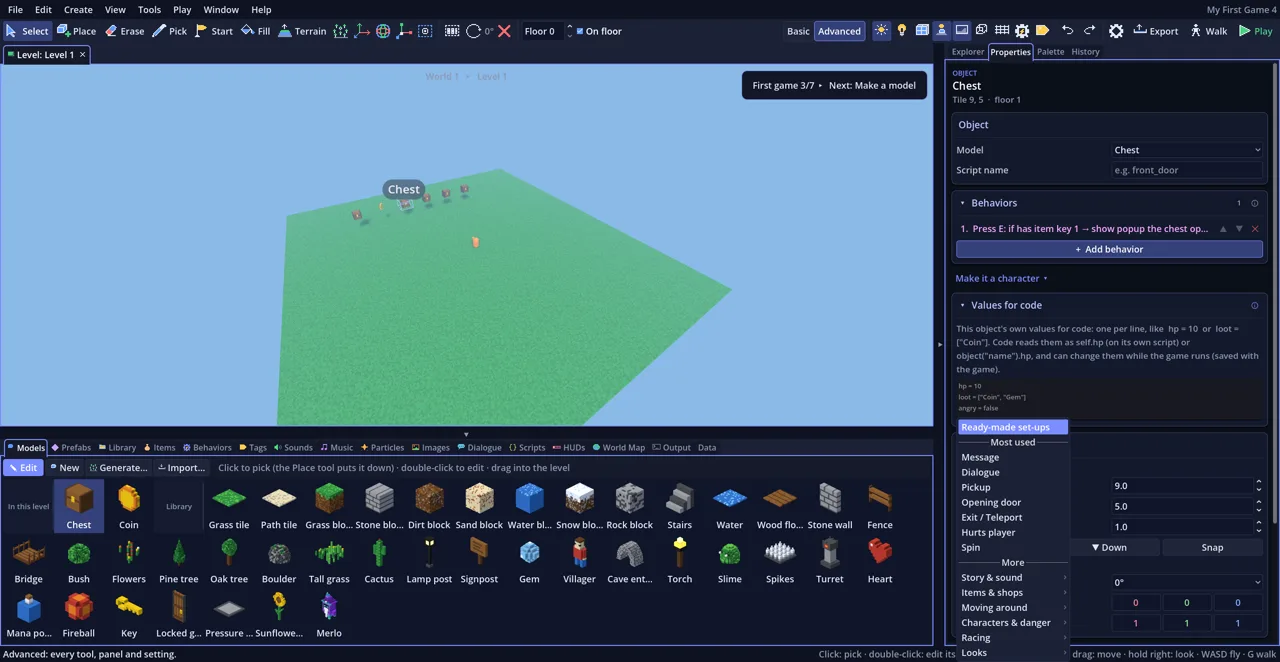
Give an object a Script name. Rules and actions find other objects by name. Pick the
object and type it in Script name at the top of Properties (gate, pad_b).
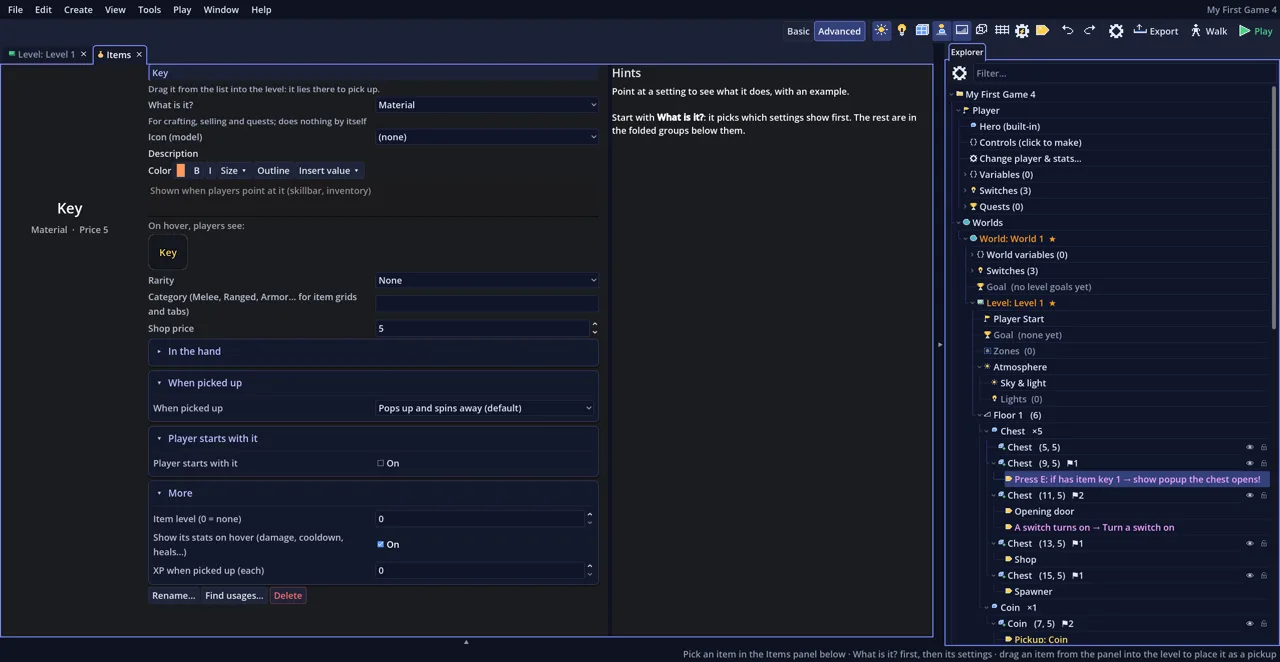
Make an item. Items (keys, potions, swords) live in the Items panel at the bottom (Advanced). Click + New item…, type its name, then set its kind and settings in the panel. A Pickup whose Item is that name gives it to the player.
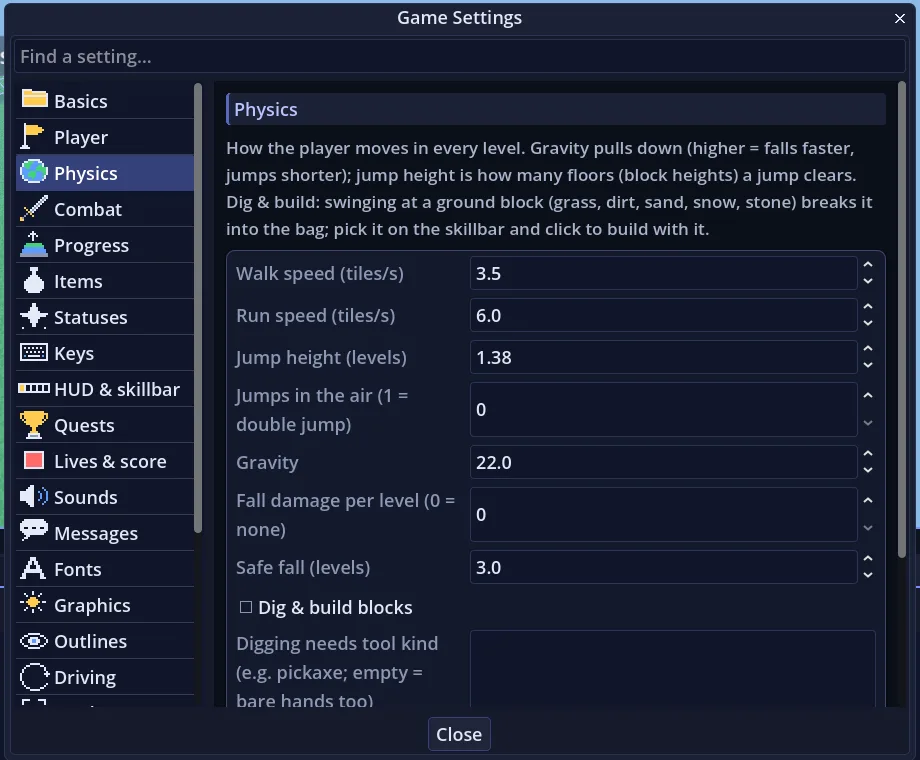
Game Settings (the ⚙ on the toolbar) holds what's true for the whole game: the goal, the player, physics, combat, lives. Pick a page on the left; in Basic, the All pages switch at the bottom of that list shows the rest.
Try it. Press ▶ Play (F5) to play from the start, or Ctrl+F5 to play from where you're looking.
Get an email when Voxel Game Maker launches
It's coming to Steam with a launch discount. One email on launch day, the odd progress update, nothing else.